> For the complete documentation index, see [llms.txt](https://learn.squirrel365.io/llms.txt). Markdown versions of documentation pages are available by appending `.md` to page URLs; this page is available as [Markdown](https://learn.squirrel365.io/components-functions-and-connections/overview/layout-and-containers/repeat-container.md).
# Repeat Container
This article describes the Repeat Container component and its properties.
{% hint style="success" %}
**Who can use this feature?**
All Squirrel365 plans include the **Repeat Container** component.
For more details, see our [**plan comparison matrix**](https://squirrel365.io/pricing/).
{% endhint %}
The **Repeat Container** automatically repeats components in rows and updates the bindings accordingly. You can easily create a vertical list layout as is common in user interfaces.
The behavior and appearance of the **Repeat Container** are very similar to the single container component. Refer to the [**how-to article on the** **Container**](https://learn.squirrel365.io/~/revisions/ZTAA4OFbb4YEJZq3WZeQ/components/layout-and-containers/container) for information on its core functionality.
## Repeat Container Properties
The **Repeat Container** properties consist of **GENERAL** and **DYNAMIC VISIBILITY** drawers. This guide will describe the general properties only; the dynamic visibility properties are generic to each component and a separate guide and tutorial on dynamic visibility can be found [**here**](https://squirrel365.gitbook.io/learn/getting-started/dynamic-visibility).
***
### GENERAL
* **Repeat As** - Radio options to switch the container orientation between Rows or Columns.
{% hint style="info" %}
Although the option allows the container to orient between repeating Rows or Columns, the spreadsheet formatting remains the same. That is the data is formatted in a row-by-row format.
{% endhint %}
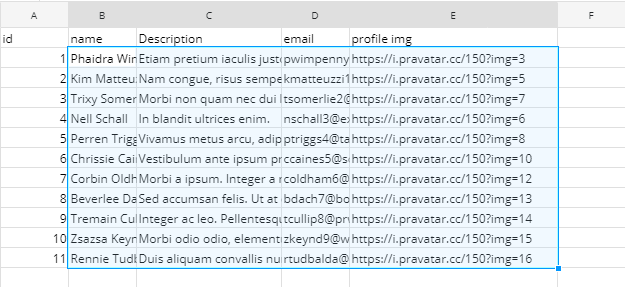
* **Override Bindings Data –** Select the range containing the data block you want to drive the Repeat Container. The ‘Override Bindings Data’ property will create a new row of objects for each row in the range specified. Components placed inside the Repeat Container automatically have any bindings within this range updated. Properties bound to cells outside of the range remain unchanged.
* **Edge padding Size** – Objects placed within the container gain a border around them that determines the positioning of the repeated components.

* **Enable Scrollbars** – Select the checkbox beside ‘Enable Scrollbars’ to allow scrolling within the container.
***
## See it in action
### Spreadsheet formatting
In the example below we have bound various properties for the components to data within the first row of the Override binding data range.

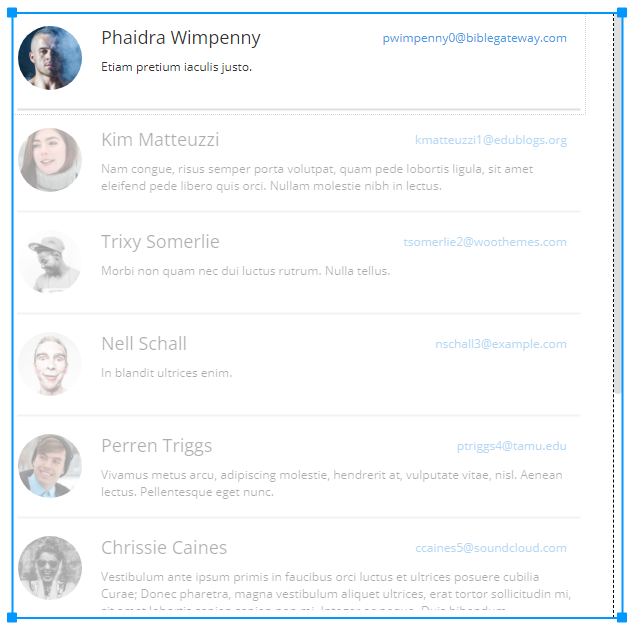
Select confirm and you can see the corresponding and repeating components have adopted the property value of each row of data in the spreadsheet.
### Row Orientation
This is the final look of the component after the bindings have been placed in Row Orientation.
### Column Orientation
This is the final look of the component after the bindings have been placed in Column Orientation.
{% hint style="info" %}
All repeated items shown are “ghost replicas” of the original components; they are not separate components themselves. To edit these replicas, all changes have to be made to the original components.
{% endhint %}